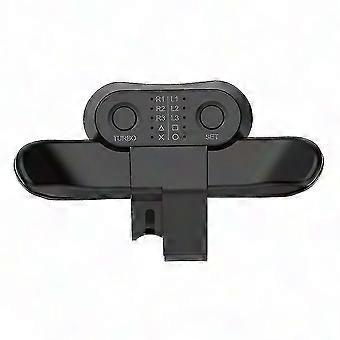
PS4 Controller Back Button Attachment for Playstation 4 - Enhanced Gaming Control

AED64.00
+ AED40.49 Shipping

PS4 Controller Back Button Attachment for Playstation 4 - Enhanced Gaming Control

  • Brand: Unbranded
Sold by:

PS4 Controller Back Button Attachment for Playstation 4 - Enhanced Gaming Control

  • Brand: Unbranded

AED64.00

Save AED85.00 (57%)

RRP

AED149.00
In stock
+ AED40.49 Shipping

14-Day Returns Policy

Sold by:

AED64.00

Save AED85.00 (57%)

RRP

AED149.00
In stock
+ AED40.49 Shipping

14-Day Returns Policy

Payment methods:

Description

PS4 Controller Back Button Attachment for Playstation 4 - Enhanced Gaming Control

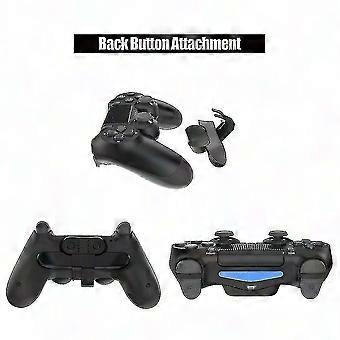
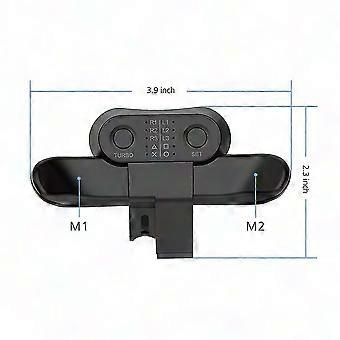
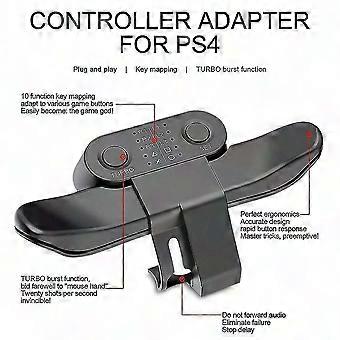
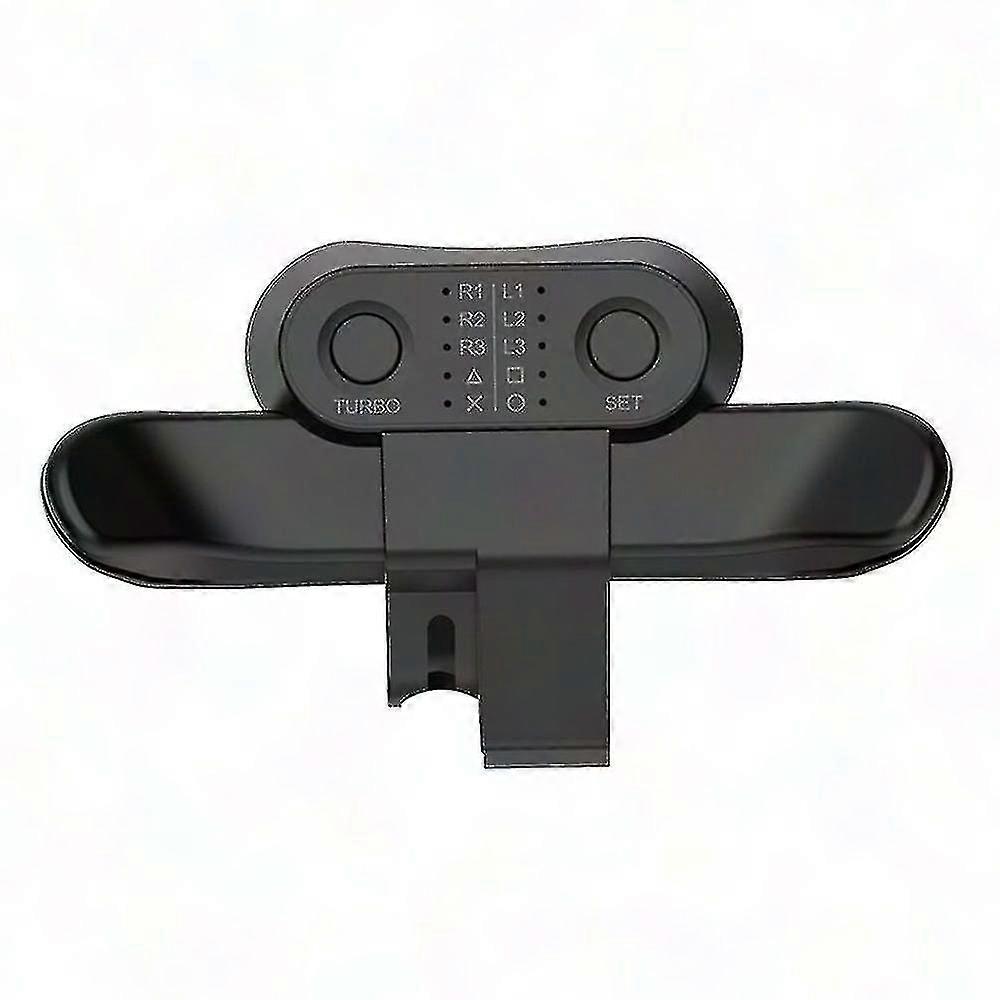
PS4 Playstation 4 Controller Back Button Attachment Size: 99.5*57MM Package included: 1 x Back Button Attachment Instructions 1. Programming function setting: Press and hold the SET button for 2 seconds, the LED corresponding to X will flash quickly (4HZ), and then short press the M1 or M2 button, the LED lights will display slow flashes in sequence on the corresponding function silk screen (the lighting sequence is X, O , , , R3, L3, R2, L2, R1, L1), and then press the SET key, the corresponding function will be mapped to M1/2; for example: when entering the programming mode, press the M1 key, the LED will display Go to R1, and then press the SET button again, then the LED on R1 will become long bright, and the function of M1 will be R1; the programming of M2 is similar to the above. 10 LEDs are used as button function indicators to indicate the function of the programmed button, and a maximum of 2 LED lights can be displayed. 2. Cancel function: Press and hold the SET button for 5 seconds, the programming indicator LED will change from flashing to off, then the M1/2 function will be cleared, and the button has no programming function at this time. 3. Programming button memory function: insert the back button expander into the handle, if M1/2 has no function, LED1 will flash slowly (2HZ) for 3 seconds and then go out, and LED1 will flash quickly after long pressing the SET button to enter the programming mode; if M1/2 When the last programming function is memorized, the corresponding LED light will be on. The programming function before power off saves the memory; the last programming function is still retained when the handle is inserted again, and the factory default has no programming function. 4. Turbo function setting: Press and hold the function button and the Turbo button at the same time, then the function button has the Turbo burst function; press the above combination button again, the Turbo function of the button will be cancelled. If the Turbo function is set, after pressing the button, the LED corresponding to the function will flash quickly (4HZ). Note Please allow 2-3 cm difference due to manual measurement. Besides different computers display colors differently, the color of the actual item may vary slightly from the below images, thanks for your understanding(1 inch = 2.54 cm)
  • Fruugo ID: 404530002-858485818
  • EAN: 1110310268010

Product Safety Information

Please see the product safety information specific to this product outlined below

The following information is provided by the independent third-party retailer selling this product.

Safety Warnings: Do not let your children touch this product alone to avoid swallowing or other injuries,Adult supervision recommended.

Delivery

Dispatched within 3 days

  • STANDARD: AED40.49 - Delivery between Tue 21 July 2026–Wed 29 July 2026

Shipping from China.

Returns

We do our best to ensure that the products that you order are delivered to you in full and according to your specifications. However, should you receive an incomplete order, or items different from the ones you ordered, or there is some other reason why you are not satisfied with the order, you may return the order, or any products included in the order, and receive a full refund for the items.

View full return policy

Product Compliance Details

Please see the compliance information specific to this product outlined below.

The following information is provided by the independent third-party retailer selling this product.

Manufacturer
The following information outlines the contact details for the manufacturer of the relevant product sold on Fruugo.

  • Wang Weifeng
  • Shanghai Henghe Trading Co., Ltd.
  • 288 Youdong Road, Guanhong Building
  • Shanghai
  • CN
  • 201199
  • [email protected]
  • 13825489288

Responsible Person in the EU
The following information outlines the contact information for the responsible person in the EU. The responsible person is the designated economic operator based in the EU who is responsible for the compliance obligations relating to the relevant product sold into the European Union.

  • Van Lavazza
  • Y & H S.R.L.
  • Via Gravina 21 MT matera,Trani,Puglia
  • Trani
  • Italy
  • 75100
  • [email protected]
  • 0039 3917722149