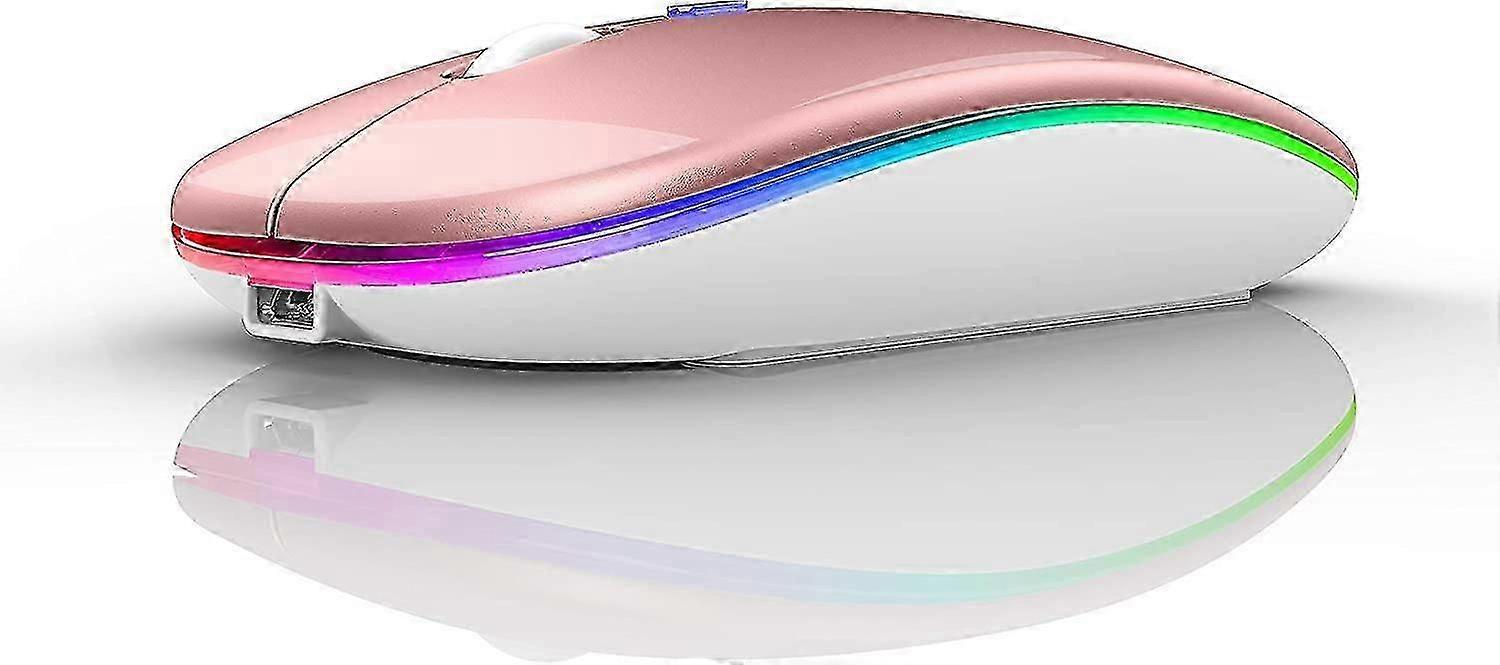
Led Wireless Mouse Laptop

AED179.00
+ AED36.99 Shipping

Led Wireless Mouse Laptop
  • Brand: Unbranded

Led Wireless Mouse Laptop
  • Brand: Unbranded
Price: AED179.00
Sold by:
AED179.00
+ AED36.99 Shipping

In stock

14-Day Returns Policy

Payment methods:

Description

Led Wireless Mouse Laptop
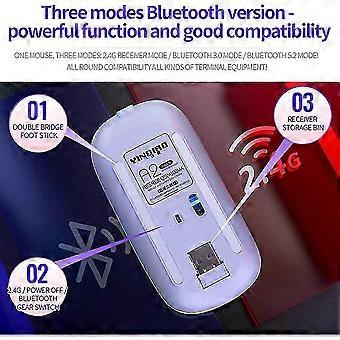
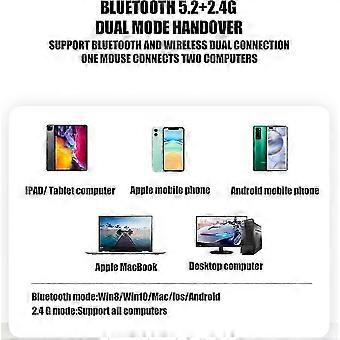
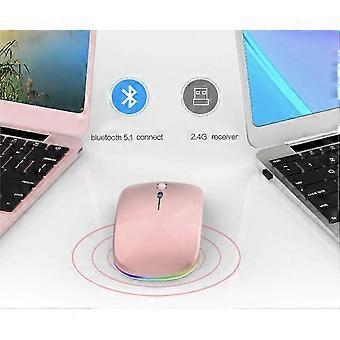
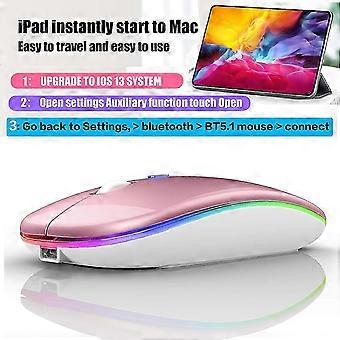
For all computers and laptops and ios13 / ios14 tablet/pro/Air / Phone / MAC / MacBook / Pro / air windows / chromebook / HP / Dell 7-color LED mouse: After the mouse is successfully connected to your computer/laptop/iPad device, the 7-color LED starts to light one by one. ERGONOMIC DESIGN Good surface coating technology given you a skin-like touch feeling. User-friendly design provide all-day comfort for work and entertainment, portable and pocket-sized perfect for travel, Mute design keeps away annoying clicks. Use the DPI mouse button on the screen: you are free to adjust the mouse sensitivity to match your activity. Provide 3 DPI levels (800-1200-1600). The higher the DPI, the faster the cursor moves on the screen BUILT-IN BATTERY: Built-in battery,easy to charge by micro usb cable,no more need for extra AAA battery. Packing list: Instructions*1, LED rechargeable Bluetooth5.1 + 2.4G dual-mode mouse *1, 2.4g Nano USB receiver *1(hidden in the slot at the bottom of the mouse), USB charging line *1, How to connect to a laptop using bluetooth mode: Turn on the Bluetooth switch at the bottom of the mouse open the computer system Settings open Bluetooth when the computer bluetooth display is looking for nearby bluetooth devices, find the BT5.1 mouse, click the connection, and then successfully connected, you can use the mouse. How to connect to iOS/tablet/Pro/Air/ Mini/ Phone (ios 13/ios 14) via Bluetooth Mouse first slide the button at the bottom of the mouse to the bluetooth position. ( bluetooth mode.) (1) open tabletSettings Accessibility Touch AssistiveTouch Click to open An auxiliary dot will appear on the screen (2) Go back to Settings Click on the bluetooth Click to open BT 5.1 MOUSE connect and Pair.PIN:0000) How to Charge Wireless Mouse When the pointer of your mouse does not move or cannot be used, or suddenly disconnects continuously in use, you need to charge it for about 3 hours. Please use the USB port of your computer to charge it, or use an adapter with an output of no more than 5v to charge it 7-color LED mouse: After the mouse is successfully connected to your computer/laptop/iPad device, the 7-color LED starts to light one by one.
  • Fruugo ID: 343740164-752968158
  • EAN: 9118345253843

Product Safety Information

Please see the product safety information specific to this product outlined below

The following information is provided by the independent third-party retailer selling this product.

Product Safety Labels

CE Mark
Safety Warnings: WARNING!TO AVOID DANGER OF SUFFOCATION,KEEP AWAY FROM.
Ingredients: Metal9.9%
Manufacturer Part Number: ZMY002040
Model Number: ZMY003266
Serial Number: ZMY000814
Batch Number: ZMY004492

Delivery & Returns

Dispatched within 2 days

  • STANDARD: AED36.99 - Delivery between Fri 09 January 2026–Fri 16 January 2026

Shipping from China.

We do our best to ensure that the products that you order are delivered to you in full and according to your specifications. However, should you receive an incomplete order, or items different from the ones you ordered, or there is some other reason why you are not satisfied with the order, you may return the order, or any products included in the order, and receive a full refund for the items. View full return policy

Product Compliance Details

Please see the compliance information specific to this product outlined below.

The following information is provided by the independent third-party retailer selling this product.

Manufacturer
The following information outlines the contact details for the manufacturer of the relevant product sold on Fruugo.

  • You Zou
  • Zhongshan Youxiang Trading Co., Ltd.
  • No. 29, No. 10, Yile 2nd Street, Mingjunyuan, Ju Development Zone
  • Zhongshan
  • CN
  • 528400
  • ylb711345@163.com
  • 13797403971

Responsible Person in the EU
The following information outlines the contact information for the responsible person in the EU. The responsible person is the designated economic operator based in the EU who is responsible for the compliance obligations relating to the relevant product sold into the European Union.

  • Axitera GmbH
  • Axitera GmbH
  • Kreuznacher Str. 30, D-60486 Frankfurt a. Main
  • Hessen
  • DE
  • 60306
  • successservice3@gmail.com
  • (+49) 6934873848