Automatic Time Synchronization Wifi Wall Clock 12 Inch

AED229.00
+ AED21.49 Shipping

Automatic Time Synchronization Wifi Wall Clock 12 Inch

  • Brand: Unbranded
Sold by:

Automatic Time Synchronization Wifi Wall Clock 12 Inch

  • Brand: Unbranded

AED229.00

Save AED230.00 (50%)

RRP

AED459.00
In stock
+ AED21.49 Shipping

14-Day Returns Policy

Sold by:

AED229.00

Save AED230.00 (50%)

RRP

AED459.00
In stock
+ AED21.49 Shipping

14-Day Returns Policy

Payment methods:

Description

Automatic Time Synchronization Wifi Wall Clock 12 Inch

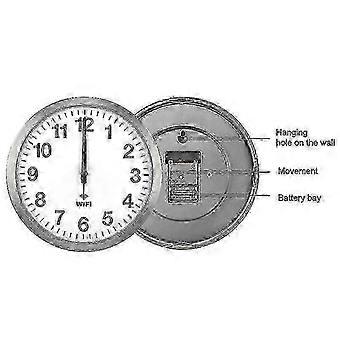
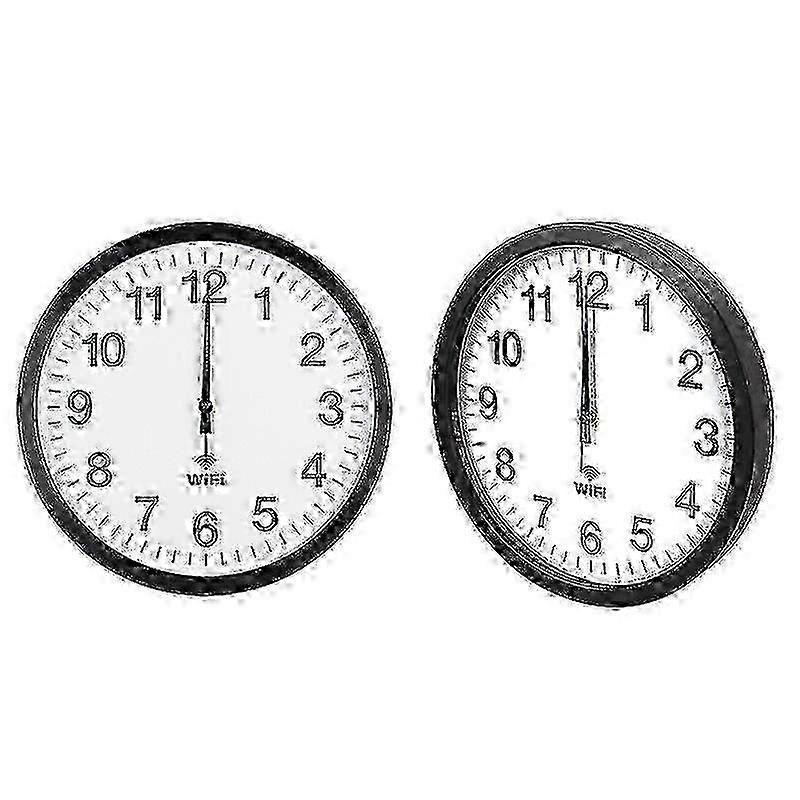
Smart Network Automatic Time Synchronization Wifi Wall Clock Modern Minimalist Silent Living Room Clock<br> <br> Details:<br> <br> 1. Material: metal shell, PVC mirror, ABS back shell, aluminum pointer<br> <br> 2. Dimensions: 12 inches 30x30x4.1 cm, 14 inches 35x35x4.1 cm, 16 inches 40x40x4.5 cm<br> <br> 3. Weight: 12 inches 1300 grams, 14 inches 1600 grams, 16 inches 2200 grams<br> <br> 4. Power supply: 2 AA alkaline batteries (need to purchase by yourself)<br> <br> 5. Applicable scenarios: living room, bedroom, study room, office, etc.<br> <br> 6. Features: beautiful and practical, painted pointer, not easy to fade, uniform color, copper sleeve inlay, accurate and firm, strong and durable, metal shell, aluminum alloy wire drawing process, exquisite workmanship, strong metal texture, WIFI automatic time synchronization, 0 am- The 6 oclock second hand stops automatically to save power<br> <br> Instructions:<br> <br> 1. When using for the first time, first turn on the mobile wifi and unplug the white positioning pin on the back of the clock<br> <br> 2. Click on the phone "Settings"-"Connections"-"WLAN"<br> <br> 3. Install the battery, after about 5 seconds, "wificlock" will appear in the "WLAN list" for 30 seconds<br> <br> 4. If "wifi-clock" fails to appear, you can press the "MSET" button on the back of the clock (press and hold for about 5 seconds, repeat it several times)<br> <br> 5. Click wifi-clock<br> <br> 6. Follow the prompts to set up wifi<br> <br> 7. If you cannot set wifi, you can click "wifi-clock", then click "manage router", or open "192.168.4.1" with your mobile browser, and then set wifi<br> <br> 8. After setting, the three pointers quickly return to zero, and then automatically go to the correct time<br> <br> 9. After the wifi is set, if you reinstall the battery without resetting the wifi, the pointer will automatically go to the correct time<br> <br> 10. If the time is not correct, you can press and hold REC to make the pointer return to zero quickly and then re-align the time, or reinstall the battery<br> <br> 11. Press and hold MSET, you can reset wifi, automatic time and time zone<br> Note: Due to the light and screen setting difference, the item's color may be slightly different from the pictures. Please allow slight dimension difference due to different manual measurement. Sold by-DIMEANI official store
  • Fruugo ID: 478493493-996374946
  • EAN: 6671505855132

Product Safety Information

Please see the product safety information specific to this product outlined below

The following information is provided by the independent third-party retailer selling this product.

Product Safety Labels

CE Mark
Safety Warnings: Not suitable for children under 36 months
Ingredients: Plastic 5%

Delivery

Dispatched within 2 days

  • STANDARD: AED21.49 - Delivery between Mon 22 June 2026–Tue 30 June 2026

Shipping from China.

Returns

We do our best to ensure that the products that you order are delivered to you in full and according to your specifications. However, should you receive an incomplete order, or items different from the ones you ordered, or there is some other reason why you are not satisfied with the order, you may return the order, or any products included in the order, and receive a full refund for the items.

View full return policy

Product Compliance Details

Please see the compliance information specific to this product outlined below.

The following information is provided by the independent third-party retailer selling this product.

Manufacturer
The following information outlines the contact details for the manufacturer of the relevant product sold on Fruugo.

  • Akvgo
  • Shenzhen Wana Jewelry Co., Ltd.
  • Building 2, Factory 607, Qiling North Road, Jishengchang Industrial Zone
  • Shentech Park, Luogang Community, Buji Subdistrict, Longgang District
  • Shenzhen
  • CN
  • 518100
  • [email protected]
  • 8617727548700

Responsible Person in the EU
The following information outlines the contact information for the responsible person in the EU. The responsible person is the designated economic operator based in the EU who is responsible for the compliance obligations relating to the relevant product sold into the European Union.

  • GLOBEREX SPAIN SOLUCIONES SLU
  • GLOBEREX SPAIN SOLUCIONES SLU
  • CALLE TORCAL, 2, 5 D, MADRID
  • MADRID
  • ES
  • 28041
  • [email protected]
  • +34 621668802